Theme
User Management
The User Management module is where administrators create, edit, and audit every account on the tenant.
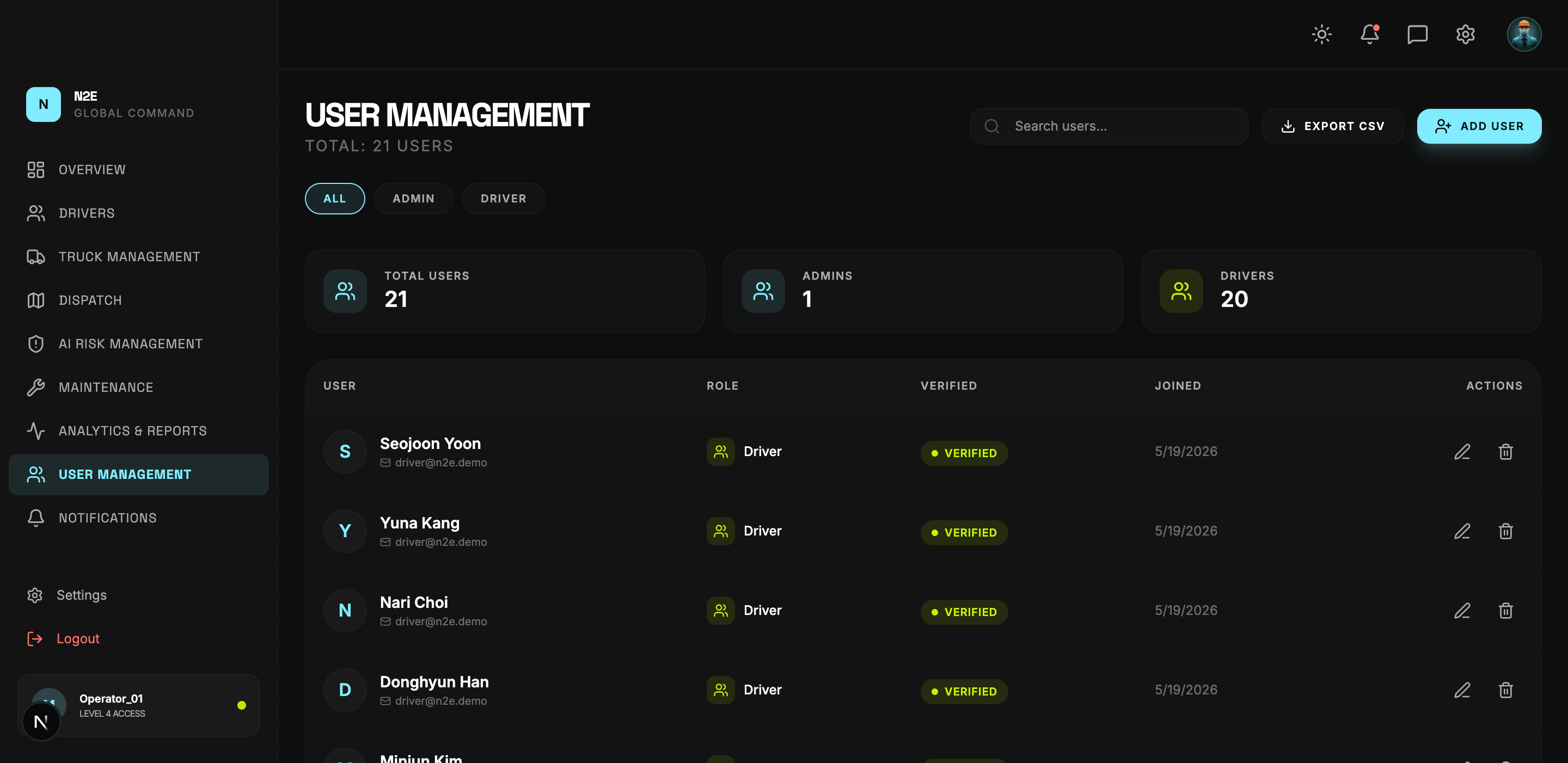
Layout
| Region | Purpose |
|---|---|
| Header counters | Total users. |
| EXPORT CSV | Download the user list. |
| ADD USER | Invite a new user. |
| Stat cards | Total / Admins / Drivers. |
| Search bar | Free-text search by name or email. |
| Role pills | ALL / ADMIN / DRIVER. |
| User table | User, Role, Verified, Joined, Actions. |
Adding a user
- Click ADD USER.
- Enter the full name, email and role.
- Save. The user receives an invitation email with a verification code.
The new account appears in the table immediately with VERIFIED = No until the recipient confirms the link.
Editing or removing
- Click Edit User in the Actions column to update the name, role or status.
- Click Remove User to revoke access. The user's history is retained for audit purposes.
Roles
- Admin — full read/write across all modules.
- Driver — restricted to the driver-facing dashboard.
Switching a driver to admin (or vice-versa) takes effect on their next sign-in.
Filtering and export
Use the ALL / ADMIN / DRIVER pills plus the search box to narrow the list, then EXPORT CSV to download the filtered set.