Theme
Driver Management
The Drivers module is the source of truth for all driver records on your fleet.
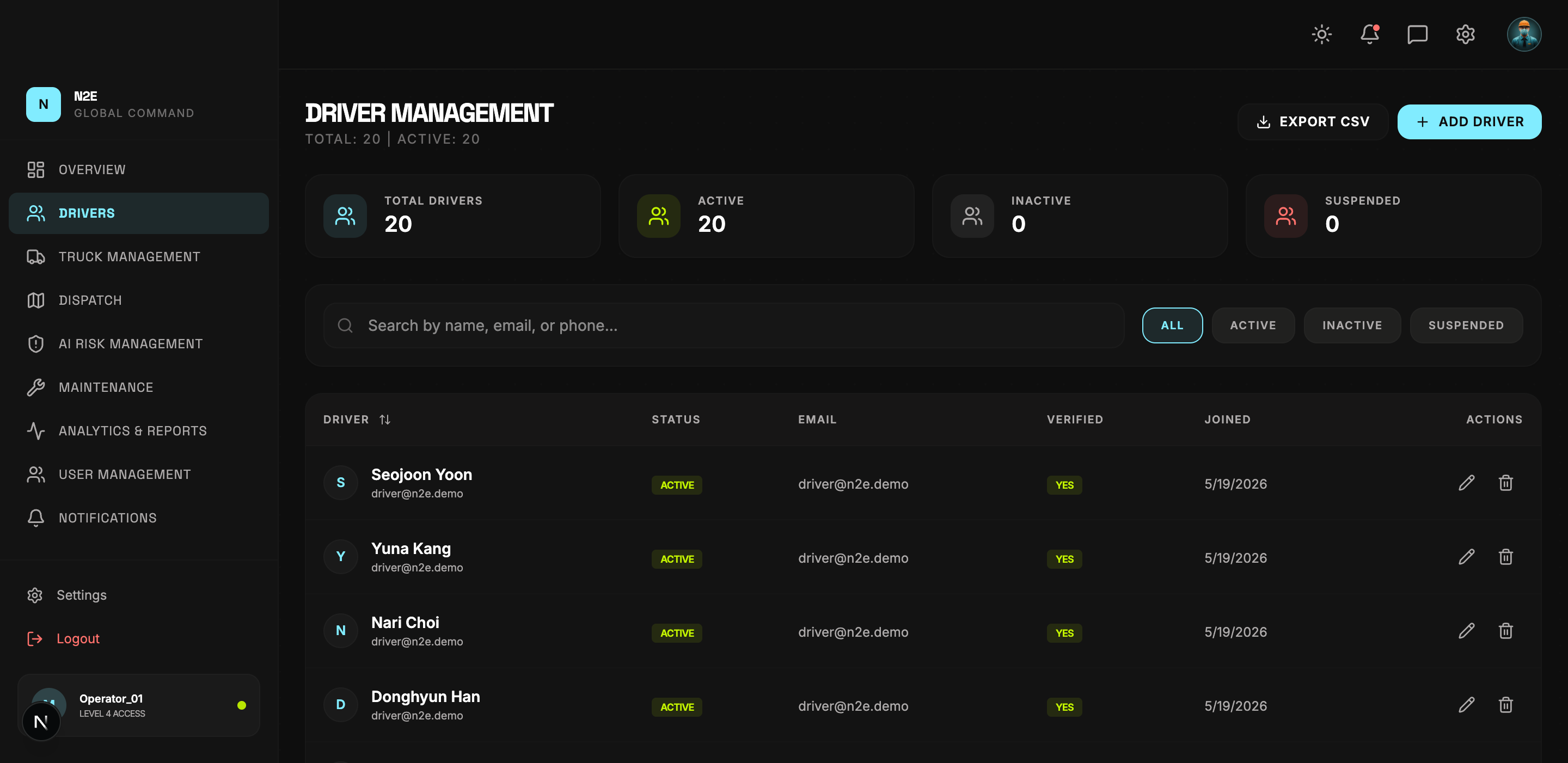
Layout
| Region | Purpose |
|---|---|
| Header counters | Total drivers, active count. |
| EXPORT CSV | Download the current filtered roster as CSV. |
| ADD DRIVER | Open the driver creation dialog. |
| Stat cards | Total / Active / Inactive / Suspended counts. |
| Search bar | Filter by name, email or phone. |
| Status pills | One-click filter by ALL / ACTIVE / INACTIVE / SUSPENDED. |
| Roster table | Driver, Status, Email, Verified, Joined, Actions. |
Adding a driver
- Click ADD DRIVER.
- Fill in name, email, license number, phone, and any optional metadata.
- Submit. The driver appears in the table immediately.
The driver receives a verification email; their VERIFIED badge updates once they confirm.
Editing or removing a driver
Use the Actions column on the right of each row:
- Edit — open the driver record to update status, contact information, or license details.
- Remove — soft-delete the driver. A suspended driver can be restored from the SUSPENDED filter.
Filtering and search
- The pills at the top of the table narrow the list by status.
- The search box filters across name, email and phone in real time.
- Both filters compose with each other.
Exporting
Click EXPORT CSV to download the currently visible (filtered) roster. The file includes all visible columns.