Theme
Notifications
The Notifications center collects every message that needs your attention — system alerts, maintenance updates, dispatch warnings, and AI risk notifications.
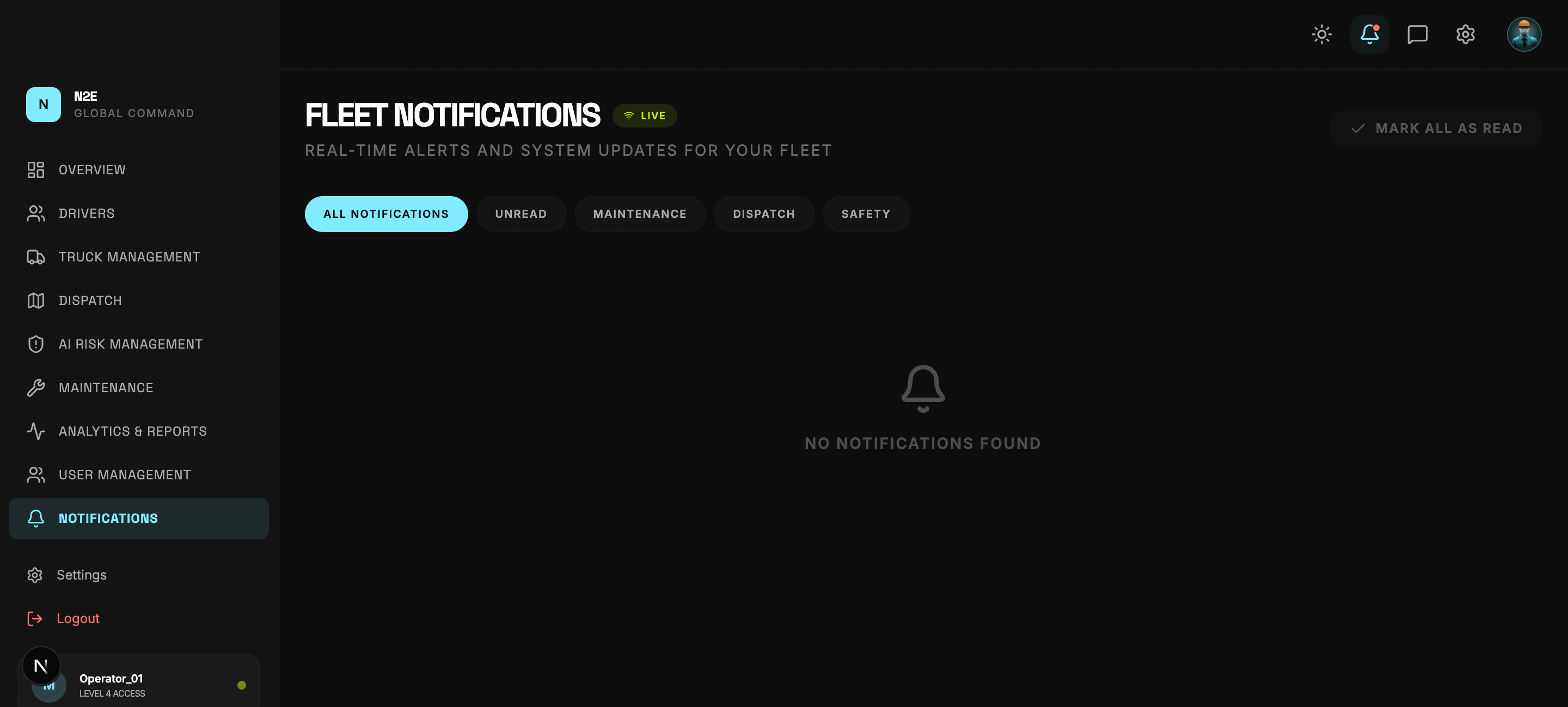
Where to find it
There are two entry points:
- The bell icon at the top-right of every screen (shows the unread count).
- The NOTIFICATIONS entry in the left sidebar.
Both lead to the same notification list.
Notification types
| Type | Source |
|---|---|
| System | Account, billing and platform notices. |
| Dispatch | Route status changes, late deliveries, driver acknowledgements. |
| Maintenance | New tickets, due dates, completed work. |
| AI Risk | Critical and warning telemetry alerts. |
| User | Invites, verifications, password changes. |
Acting on a notification
Click any notification to open the related record (for example a risk alert opens the AI Risk page filtered to that vehicle).
Use the controls at the top of the page to:
- Mark all as read
- Filter by type or severity
- Clear dismissed notifications
Subscriptions
Some notification types can be muted per user in Settings. Admin-only categories cannot be muted by drivers.