Theme
Maintenance & Service
Track every service ticket and historical maintenance cost across the fleet.
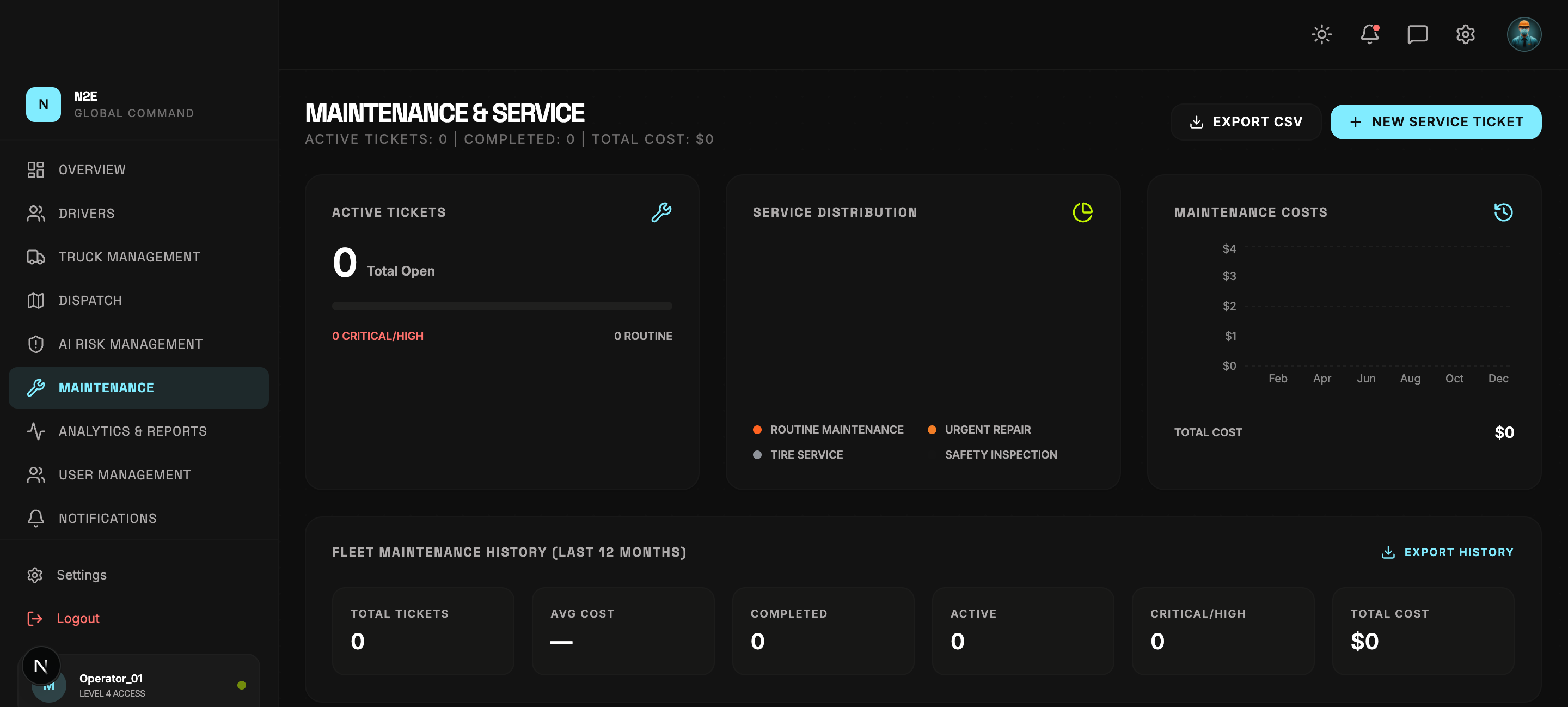
Layout
| Region | Purpose |
|---|---|
| Header counters | Active tickets, completed tickets, total cost. |
| EXPORT CSV | Download the visible ticket list as CSV. |
| NEW SERVICE TICKET | Create a new ticket. |
| Active tickets card | Total open, critical / high, routine. |
| Service distribution | Donut chart by service type (routine, urgent repair, tire, safety). |
| Maintenance costs | 12-month cost trend chart. |
| Fleet history block | Total tickets / Avg cost / Completed / Active / Critical / Total cost. |
| Upcoming schedule | Status filter pills + ticket table. |
Creating a service ticket
- Click NEW SERVICE TICKET.
- Select the unit (truck) the ticket is for.
- Pick the service type (Routine, Urgent Repair, Tire, Safety Inspection).
- Enter the scheduled date, expected cost, and a description.
- Save. The ticket appears in the Upcoming Service Schedule table.
Ticket statuses
Tickets transition through:
SCHEDULED → PENDING → IN PROGRESS → COMPLETED
Each status is filterable from the pills above the ticket table. The header counters reflect the active set in real time.
Costs
The Maintenance Costs chart aggregates spend per month for the last 12 months. The TOTAL COST counter at the top of the page sums everything currently visible.
History export
The EXPORT HISTORY button (top of the history block) downloads the full 12-month dataset; EXPORT CSV at the top of the page exports only the visible filtered ticket list.