Theme
Profile
The Me tab is your driver profile.
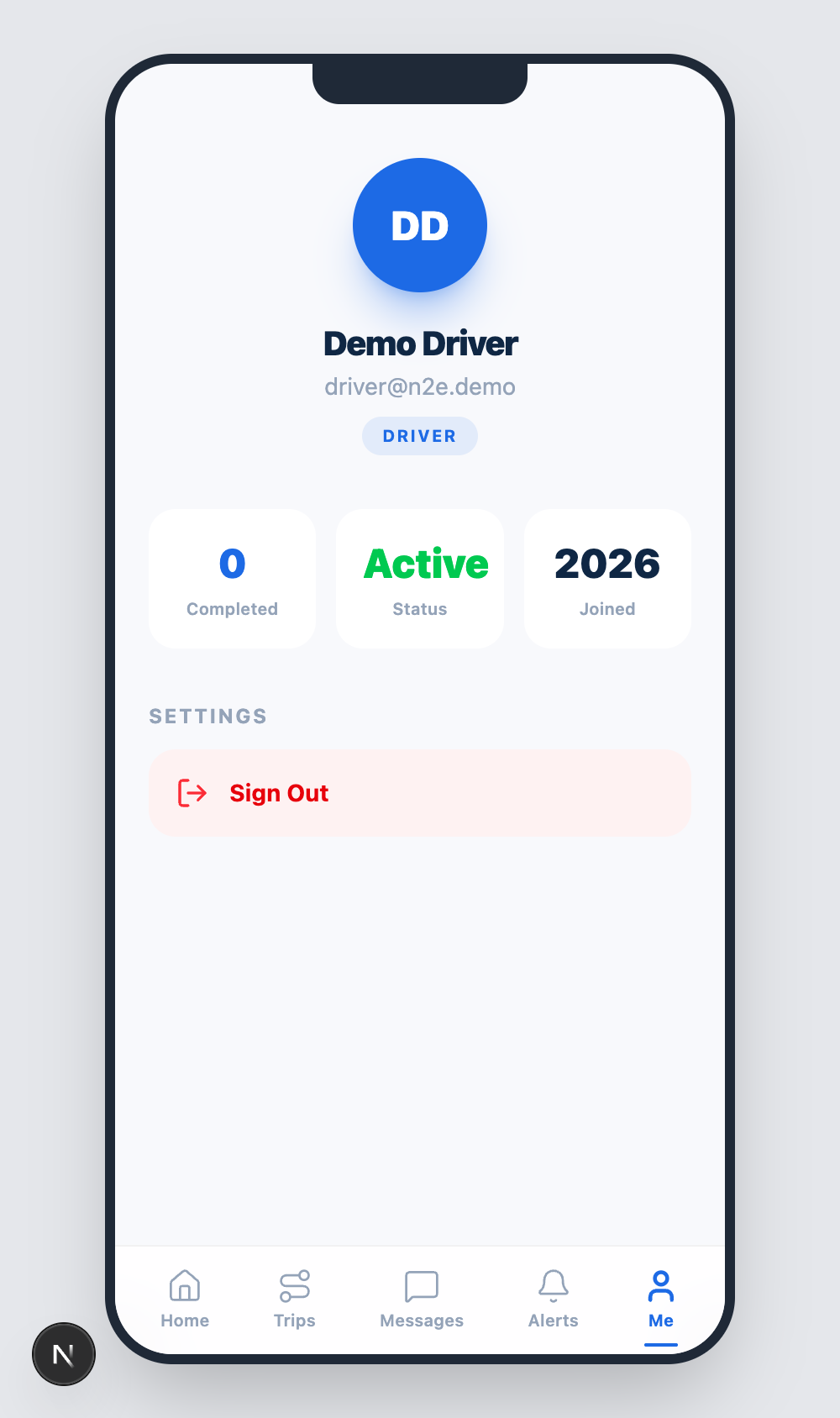
Header
The top of the screen shows:
- Your avatar / initials (e.g. DD for Demo Driver).
- Your full name.
- Your email address.
- A DRIVER role badge.
If anything looks wrong, ask an admin to update it from User Management.
Stats grid
A 2×2 grid summarises your activity:
| Stat | Meaning |
|---|---|
| Completed | Lifetime trip count you've closed. |
| Status | Active / Inactive — set by an admin. |
| Joined | The year you joined the platform. |
| (reserved) | A slot kept for upcoming KPIs such as on-time rate. |
The stats refresh whenever you open the tab.
Settings
The SETTINGS section currently exposes one action: Sign Out. Tapping it terminates your session on this device and returns you to the Sign In screen.
Future iterations of the app will surface:
- Push notification preferences.
- Light / dark theme override.
- Language selection.
- HOS / hours-of-service self-declaration.
For now, those preferences are managed by your fleet admin in the Settings module.
Changing your password
Sign out and use the FORGOT PASSWORD? link on the sign-in screen — see Password Recovery. The same flow works for drivers and admins.
Deleting your account
Drivers cannot self-delete. Ask your fleet admin to remove your account from the User Management page. Your trip history is retained for audit purposes even after removal.