Theme
Interface Overview
Every signed-in screen in N2E shares the same three regions: a left sidebar, a top bar, and the main content area.
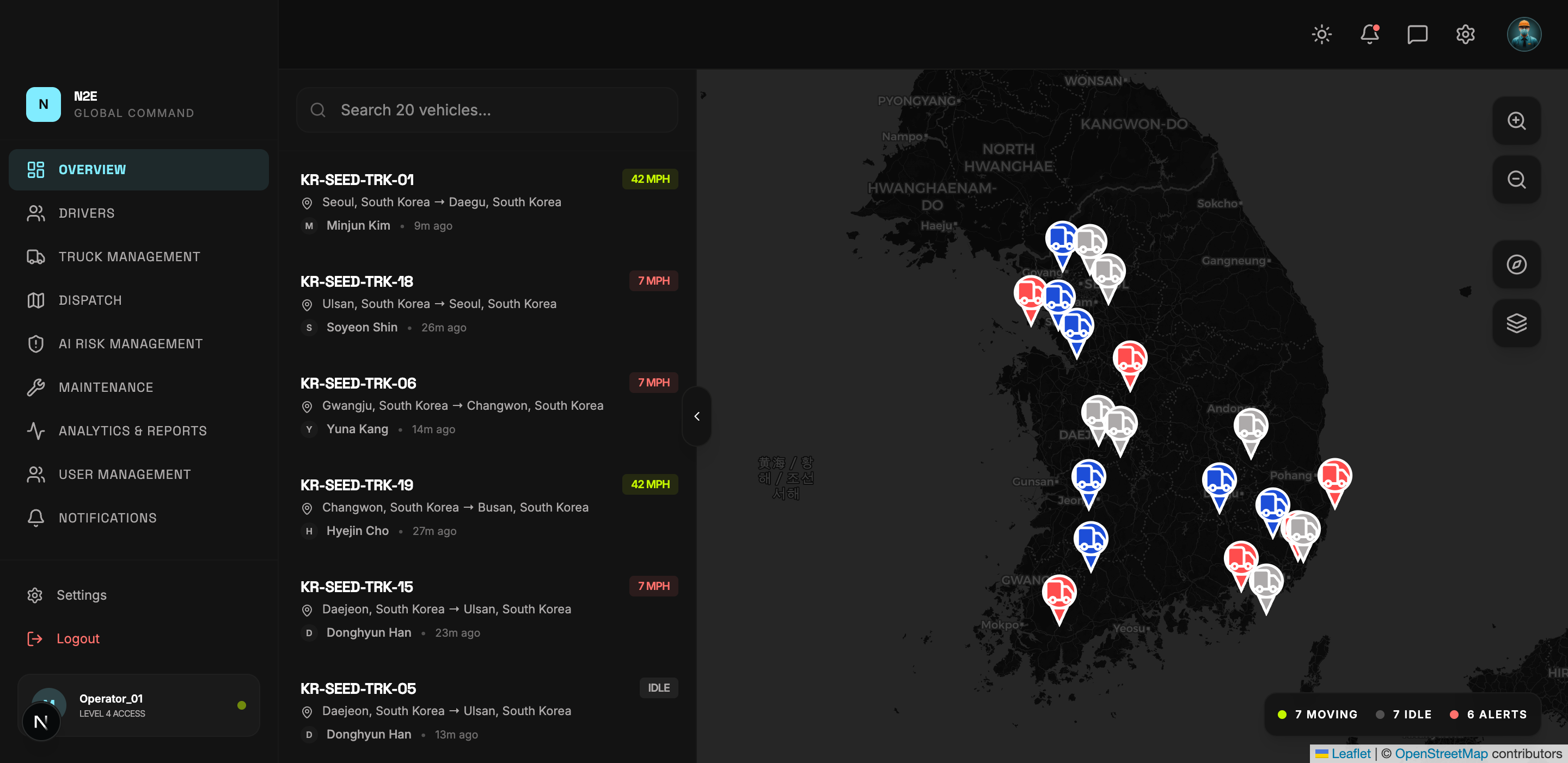
Top bar
| Element | Purpose |
|---|---|
| N2E logo | Returns to the dashboard from any page. |
| Theme toggle | Switches between light and dark mode. See Light & Dark Mode. |
| Bell icon | Opens Notifications. |
| Avatar | Quick link to your Settings. |
Left sidebar
The sidebar shows the main modules of the platform. The available items depend on your role.
For an admin, the sidebar exposes:
- OVERVIEW — the main Dashboard
- DRIVERS — Driver Management
- TRUCK MANAGEMENT — Fleet assets
- DISPATCH — Routes and trips
- AI RISK MANAGEMENT — Predictive maintenance & alerts
- MAINTENANCE — Service tickets & history
- ANALYTICS & REPORTS — Stats and exports
- USER MANAGEMENT — Account administration
- NOTIFICATIONS — Notification center
At the bottom of the sidebar you will find:
- Settings — your account profile and security.
- Logout — terminate the current session.
- A profile card showing your username and access level.
Main content
The main content area changes per module. Most pages share a consistent layout:
- A page title and short subtitle describing the module.
- A summary stat strip at the top (totals, active counts, percentages).
- Charts and tables with filter / search / export controls.
- Actions like EXPORT CSV or a primary green button (e.g. ADD TRUCK, NEW SERVICE TICKET).
Keyboard shortcuts
You can use the documentation search (top of this page) to jump between modules. Many tables in the app also accept free-text search at the top of the table.